Guide
Warehouses and hubs in Transport Fever 3
Stations, ports and other infrastructure no longer store cargo. You can only unload if the load has a destination: a factory, a consumer that wants it, or a warehouse. Put the warehouse inside a station's catchment and a matching warehouse type will stop the delivery clock altogether, so cargo can wait there instead of ageing on a platform. Warehouses do not collect anything by themselves — trucks have to bring cargo in and out.
Last verified: September 30, 2026
Transport Fever 3 changed one thing about cargo that invalidates the way a lot of returning players build, and it shows up as the same complaint in every tutorial thread: the train is full, it arrives, and nothing unloads. The cause is not the train. It is that stations and ports no longer store cargo, so a load without a destination is a load that cannot get off.
The change, in the developer's words
"Ports, stations and other infrastructure no longer store any cargo… place a warehouse near your port… You can only unload cargo if it has a destination, so either a factory, an end consumer, or… a warehouse." — an Urban Games developer, as quoted in a third-party guide
That quote reaches us second-hand — the guide attributes it to a post the developer made on Steam, and we have not been able to read the original post itself. What makes it safe to repeat is that every creator we transcribed describes the same behaviour independently: cargo needs somewhere to go, and the warehouse is the somewhere.
What a warehouse does to the delivery clock
Every cargo type has a delivery time and a delivery rating, both visible in your account under delivery time. Once a load is on board, that clock is running. Warehouses are the device for stopping it.
- A matching, specialised warehouse stops the clock. Creators who tested the release build describe a goods warehouse stopping the delivery timer completely for goods, and note that the delivery rating drops if cargo is not in a specialised warehouse.
- A universal warehouse is the flexible option, not necessarily the fastest one. It accepts all cargo, which is why almost every opening tutorial reaches for it first, but one creator describes un-specialised storage as slowing the timer sharply rather than stopping it.
- Cargo on a platform keeps ageing. Leaving goods waiting at a stop awaiting distribution is the situation the warehouse exists to avoid.
The two claims — "stops completely" and "slows down" — come from different creators and are not necessarily in conflict: the first was made about a matching specialised warehouse, the second about general storage. Treat the type match as the thing that decides it.
The five warehouse types
| Type | Use it for |
|---|---|
| Universal | Anything, when you do not yet know what a route will carry. The default choice in most opening guides. |
| Goods | Manufactured goods — the type most creators name when they want the delivery clock stopped. |
| Liquid | Liquid cargo. |
| Bulk | Bulk materials such as ore and coal. |
| Flatbed | Flatbed loads — the long, awkward-shaped cargo that will not fit a box. |
From the warehouses menu as shown in the fishing guide and the beginner walkthrough. The menu also warns that a storage building is not an interchangeable box: read the description for the cargo it is meant to hold.
Warehouses are passive, and that catches people out
This is the part that produces the second wave of confusion. A warehouse is not a collector. It will not draw cargo out of a nearby factory, and it will not load a ship by itself.
- Only trucks move cargo in and out. A warehouse next to a mine does not gather ore; trucks still have to run from the mine to a truck station that reaches the warehouse.
- It is a place for cargo to legally sit, not a machine. Everything that arrives still has to be brought by something you own and routed by a line you built.
- A factory with its own output stock does not need a warehouse. If the industry is already holding the product and you can take it directly, the warehouse is an extra step.
One more practical detail: warehouses and maintenance buildings are described as not needing a road connection, unlike most buildings. That saves awkward road-building in industrial zones, but it does not change the rule that matters — the warehouse must still be inside the catchment of the station or stop that is meant to feed it.
When a warehouse is the wrong answer
It is worth saying plainly, because the natural reaction to "cargo will not unload" is to place a warehouse and expect the problem to disappear. Adding one adds handling: cargo goes in, and something else has to take it out. If the direct movement already works, a warehouse in the middle can be a delay rather than a buffer.
- Build one when you need the clock to stop so a load can wait for a ship or a train.
- Build one when you want to consolidate several routes and distribute from a single point.
- Build one when the only legal destination left is "somewhere", and a factory or consumer cannot take the cargo.
- Do not build one merely because a route looks untidy. Compare the plan against the direct movement first — a warehouse does not by itself make a delivery faster or cheaper.
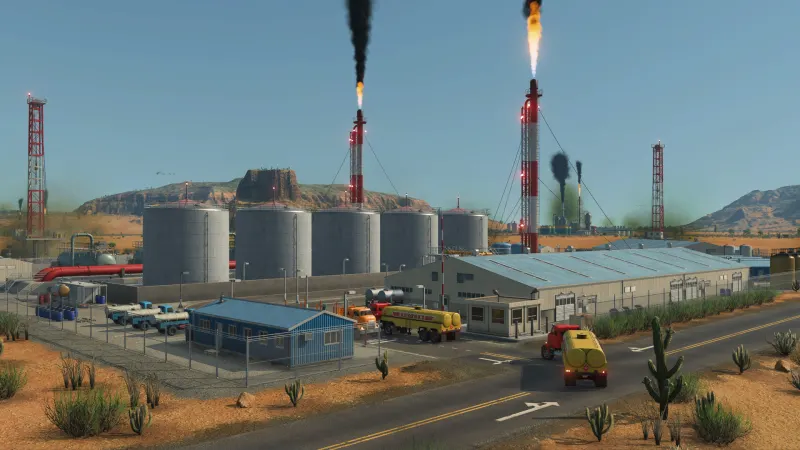
A warehouse hub, step by step
- Pick the town or industrial zone you want the hub to serve, and place a station or stop there.
- Place the warehouse inside that stop's catchment. Check the highlighted radius before you commit — a warehouse just outside it does nothing.
- Choose the warehouse type for the cargo you are actually moving. Match the type if the load is going to sit for a while.
- Set up the inbound route so the cargo reaches a truck station that touches the warehouse. Remember the warehouse will not fetch anything itself.
- Add the outbound route that takes cargo from the warehouse to wherever it is consumed, and check the town's demand list so you know something actually wants it.
- Then look at the delivery rating and the cargo overlay. If the rating is still falling, the cargo is not reaching the warehouse, or the warehouse type does not match.
If you are still working out which cargo goes where, the delivery windows and production chains are covered on the industries and cargo page. And if the problem is that trains are queueing rather than that cargo will not unload, that is a signalling question — see train signals.
FAQ
Why will my cargo not unload in Transport Fever 3?
Because nothing at the other end is allowed to receive it. Stations, ports and other infrastructure no longer store cargo, and you can only unload a load that has a destination: a factory, an end consumer that wants that product, or a warehouse. This is the single most common thing that catches out a Transport Fever 2 player, because in the previous game a station would simply hold the cargo.
So what does a warehouse actually do?
Two things. It gives incoming cargo a legal destination, and — if the warehouse type matches the cargo — it stops the delivery clock. Cargo sitting inside a matching warehouse is not ageing, which is the whole reason the building exists. Put the same cargo on a platform instead and the timer keeps running.
Does any warehouse stop the clock, or only the right type?
The type matters. A universal warehouse takes everything, which makes it the safe choice while you are learning, but the specialised buildings are the ones described as stopping the timer completely — a goods warehouse for goods, a liquid warehouse for liquids, a bulk warehouse for bulk cargo, a flatbed warehouse for flatbed loads. If you are moving one cargo in volume, match the building to it.
Can a warehouse pull cargo out of a factory or ship by itself?
No. Warehouses are passive — they do not take anything out of anything, and only trucks can move cargo in and out of them. A warehouse beside a mine does not collect ore; you still need trucks running from the mine to a truck station inside the warehouse's catchment.
Does a warehouse need a road connection?
Reported no. Creators note that warehouses and maintenance buildings are among the structures that do not have to sit on a road. That does not make placement free — the building still has to be inside a station's catchment for cargo to move into it.
Is a warehouse always worth building?
No, and this is where people overspend. A warehouse adds handling: cargo goes in, and something else has to take it out. If a direct movement already works, adding a warehouse in the middle can cost you time rather than save it. Build one when you need the clock to stop, when you want to consolidate several routes, or when you need a legal destination that is not a consumer.
Where should a warehouse go on the map?
Inside the catchment of the station it serves. The flow only happens if the building is within range of the stop, which is the same catchment rule that governs ordinary buildings. A warehouse just outside the radius does nothing at all.
Sources: Flowengineer — 50+ Essential Transport Fever 3 Tips, Squirrel — 10 Tips and Tricks for Transport Fever 3, SizzlingPopcorn — Transport Fever 3 Fishing Guide, Surtr Plays — How to Get Started, Beginner Walkthrough, Tachyon Lance — 25 Tips: Train Priority, Better Buying and Smoother Networks, HowToVideoGame — beginner tips (quotes an Urban Games developer post on Steam). Transport Fever 3 is a trademark of its respective owners.